

💨 Securing the Speed: A Definitive How-To Guide for Downloading and Accessing Sonic Rumble
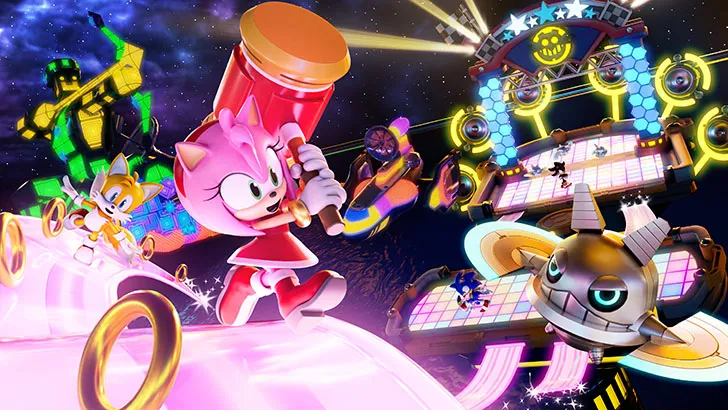
Sonic Rumble, the highly anticipated mobile battle royale experience from SEGA, promises to bring the frantic, high-speed energy of the Sonic universe into a massive multiplayer arena. Unlike traditional mobile game launches, securing access to a globally hyped title often involves more than just a simple tap on the App Store. Due to the staggered rollout process common for major titles, players worldwide must navigate pre-registration processes, regional restrictions, and device compatibility checks to ensure they are among the first to download and play. This expert guide details the essential steps, from pre-launch preparation to the final download and installation, ensuring you are ready to join the race the moment the starting line opens.
📅 Phase I: Pre-Launch Preparation and Registration (Current Time)
This phase is crucial for ensuring you are notified immediately upon release and meet all necessary hardware requirements.
1. Pre-Registering on Official Platforms: The Instant Notification Advantage
Pre-registration is the single most important step for guaranteeing a smooth day-one download experience. It locks in your interest and signals to the platform (Google Play or Apple App Store) to notify you the moment the game goes live in your region.
- Android (Google Play): Navigate to the official Sonic Rumble page on the Google Play Store (often discoverable via an official SEGA link). Select the "Pre-register" button. The Play Store will automatically initiate the download as soon as the game is fully released, provided you are on a Wi-Fi connection.
- iOS (Apple App Store): Search for the title and use the "Get" or "Pre-Order" button. While the App Store does not charge for the pre-order, this action ensures the game is flagged for automatic download once available. Ensure Automatic Downloads are enabled in your device settings.
H3. Benefits of Pre-Registration
- Guaranteed Access: Ensures the download starts automatically on release day.
- Exclusive Rewards: Developers often reward players with in-game currency, exclusive cosmetic items, or unique characters (e.g., a "Pre-Registration Sonic Skin") based on pre-registration milestones.
2. Device Compatibility and Storage Check
Sonic Rumble is expected to be graphically intensive due to its battle royale nature, fast pace, and numerous player models on screen simultaneously. Checking your device's capacity is non-negotiable.
- Operating System (OS) Requirements: Ensure your device is running a modern OS version (e.g., iOS 15+ or Android 10+). Older operating systems may lack the necessary APIs (Application Programming Interfaces) to run the game efficiently or securely.
- Internal Storage and RAM: The game package size is estimated to be significant (likely 1.5 GB to 3 GB, plus post-launch updates). You should maintain a buffer of at least 5 GB of free storage. Furthermore, 4 GB of RAM (Random Access Memory) is often the minimum requirement for smooth gameplay; 6 GB or more is recommended for the best experience.
🌐 Phase II: Navigating Regional Access (Soft Launch and VPNs)
Major global titles often undergo a Soft Launch—a limited release in smaller, specific markets (e.g., Canada, Australia, Philippines) to test servers and balance mechanics. This phase details how dedicated players secure early access.
3. Understanding the Soft Launch Strategy (Rating: High Risk/High Reward)
A Soft Launch provides a window of opportunity to play early, but it requires technical workarounds that carry inherent risks, including potential account resets before the global launch.
- Monitoring Announcements: Follow official SEGA and reputable mobile gaming news sources. They will announce the specific countries where the Soft Launch is occurring.
- Acceptable Risk: Be prepared that any progress made during a Soft Launch or Beta phase may be wiped before the official global release. Only participate if you are keen to test mechanics, not to get a head start on account progression.
4. The VPN and Geo-Spoofing Method (Android Focus)
For Android users, accessing a Soft Launch market requires creating a new account associated with the target region, often with the assistance of a Virtual Private Network (VPN).
- VPN Installation: Install a reputable VPN app (often requires a paid subscription for reliable service). Connect to a server in the Soft Launch country (e.g., Singapore).
- Creating a New Account: While the VPN is active, clear the cache and data for the Google Play Store app. Then, create a completely new Google Account. This new account will be associated with the VPN's location. You can then access that region's Play Store and download the game.
- iOS (Apple ID Method): On iOS, the process involves changing the region of your existing Apple ID (only possible if you have no active subscriptions or account credit) or creating a completely new Apple ID tied to the target region.
📱 Phase III: The Official Global Download (Day One Strategy)
This phase covers the final, most crucial steps on the day the game officially launches worldwide.
5. Ensuring Optimal Network Conditions
A successful, rapid download relies on a fast, stable internet connection.
- Wi-Fi vs. Cellular: Always prioritize a high-speed Wi-Fi network. The game's file size will likely incur significant data charges if downloaded over cellular, and cellular connections are more prone to drops, which can corrupt the download.
- Bandwidth Management: If possible, ensure other devices are not streaming video or downloading large files simultaneously. Dedicate your network bandwidth to the Sonic Rumble download for the quickest installation.
6. Installation and Permissions Review
After the files are downloaded, the installation process begins, requiring specific system permissions.
- Required Permissions (Expected List): The app will request access to several key device features. Review these before accepting:
- Storage/Media: Necessary to install the game files and store saved data.
- Network Access: Mandatory for all online games.
- In-App Purchases: Needed for the expected monetization elements (cosmetics, battle passes).
- Security Check: If you downloaded the game from an official source (Google Play or App Store), the files should be automatically verified for security. If you used third-party APK files (not recommended), your device's security suite may flag the file; proceed with extreme caution.
🎮 Phase IV: Post-Installation and First Run
The final steps involve account setup, tutorial completion, and initial settings optimization.
7. Account Linking and Security
Protecting your progress and in-game purchases is paramount. Do not rely solely on guest accounts.
- Linking Service: Immediately link your Sonic Rumble profile to a secure, permanent service: Google Account, Apple ID, or a SEGA ID (if provided). This links your progress to a cloud server, allowing you to restore your account on a new device or after a system reset.
- Guest Account Warning: While quick, a guest account stores data locally on your device. If the app is deleted or your phone is reset, all progress and purchases on a guest account will be permanently lost.
8. Graphics Settings and Performance Tuning
Mobile games prioritize visual quality, but optimal performance often requires adjusting the default settings.
- Frame Rate (FPS) Priority: In a fast-paced battle royale game, Frame Rate (FPS) is more important than graphical fidelity. Set the frame rate to the highest possible value (e.g., 60 FPS) and lower the graphical quality (e.g., textures, shadows, and anti-aliasing) to ensure a stable, smooth display.
- Shadows and Particles: These elements are the most graphically demanding. Disabling shadows and lowering particle effects often results in a significant performance boost with minimal visual impact, crucial for tracking fast-moving opponents.
🕹️ Phase V: Mastering the Initial Game Loop
The first hours of gameplay should be focused on resource accumulation and tutorial completion.
9. Completing the Tutorial and Early Objectives
The game’s tutorial will introduce the unique control schemes, the battle royale objective (likely collecting rings or Chaos Emeralds), and the character movement mechanics.
- Mastering the Dash/Boost: The Sonic franchise is defined by speed. Immediately learn the input timing for the Dash/Boost mechanic, as this will be key for both escaping combat and gaining ground on opponents.
- Initial Resource Grind: Focus on clearing Daily Missions and Beginner Objectives. These quickly provide the premium currency or materials needed to acquire your first cosmetic items, Battle Pass progress, or desirable characters.
10. Understanding the Gacha and Monetization Model
Sonic Rumble is expected to utilize a free-to-play model driven by Gacha mechanics for cosmetics, new characters, and upgrade materials.
- Gacha Allocation Strategy: As a free-to-play player, save your premium currency for limited-time events or banners that feature highly desired characters or unique cosmetic sets, rather than spending currency immediately on standard-tier pulls.
- The Battle Pass: The Battle Pass (if included) is often the single best value for money in any F2P game, offering a structured path to earning back the currency and acquiring exclusive items.